CLICKLORE
More than an auto clicker, ClickLore helps you build intelligent automation workflows using clicks, loops, text detection, conditions and dynamic variables — all through an intuitive visual interface.
- Click Automation
- Click Customization
- Timing Control
- Script Duration
- Randomize Clicks
- Loop Actions
- Record Actions
- Text Recognition
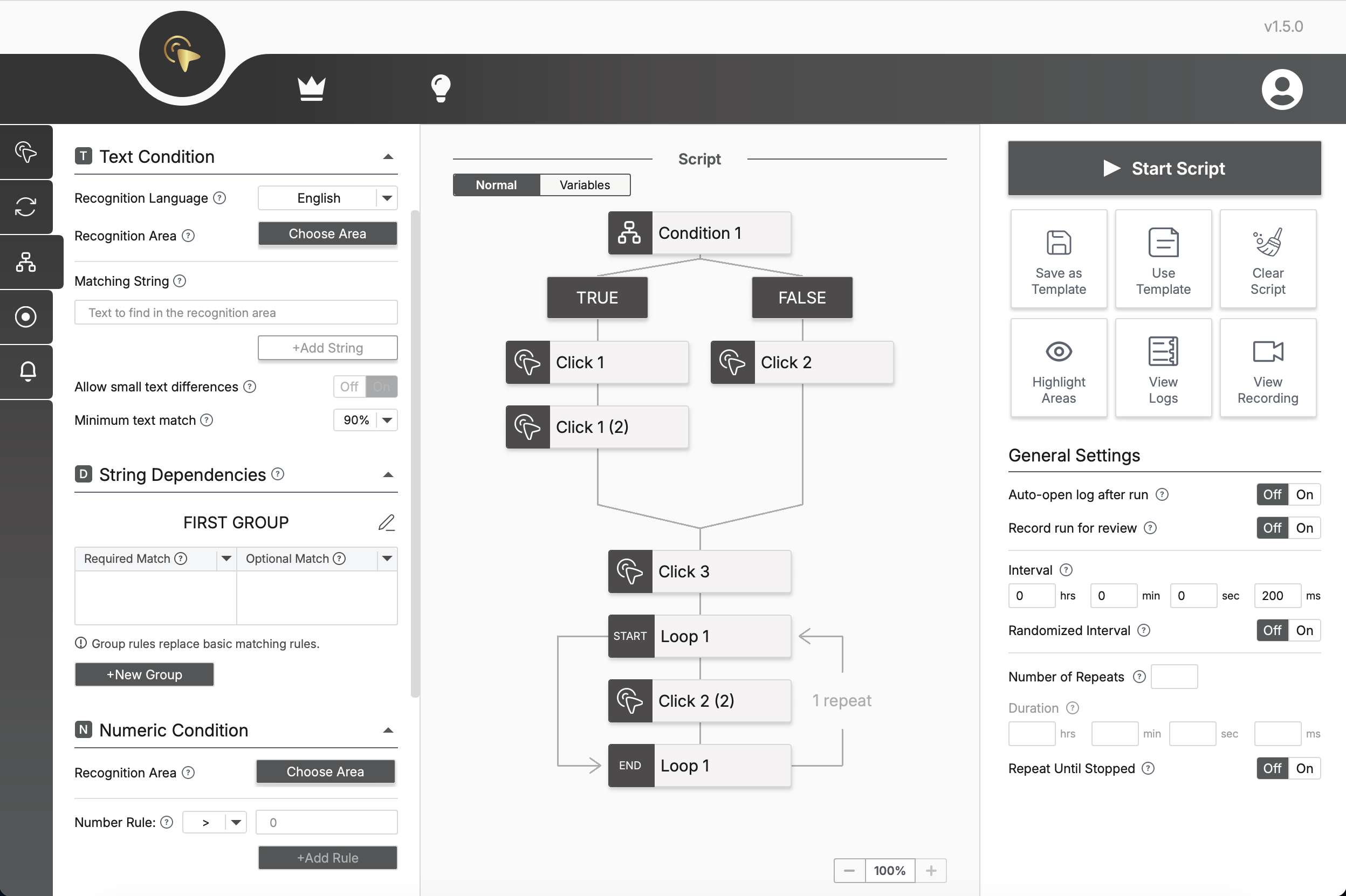
- Text Conditions
- Numeric Conditions
- Field Detection
- Variables
- Event Alerts
- Stop on Condition
- Run Recording
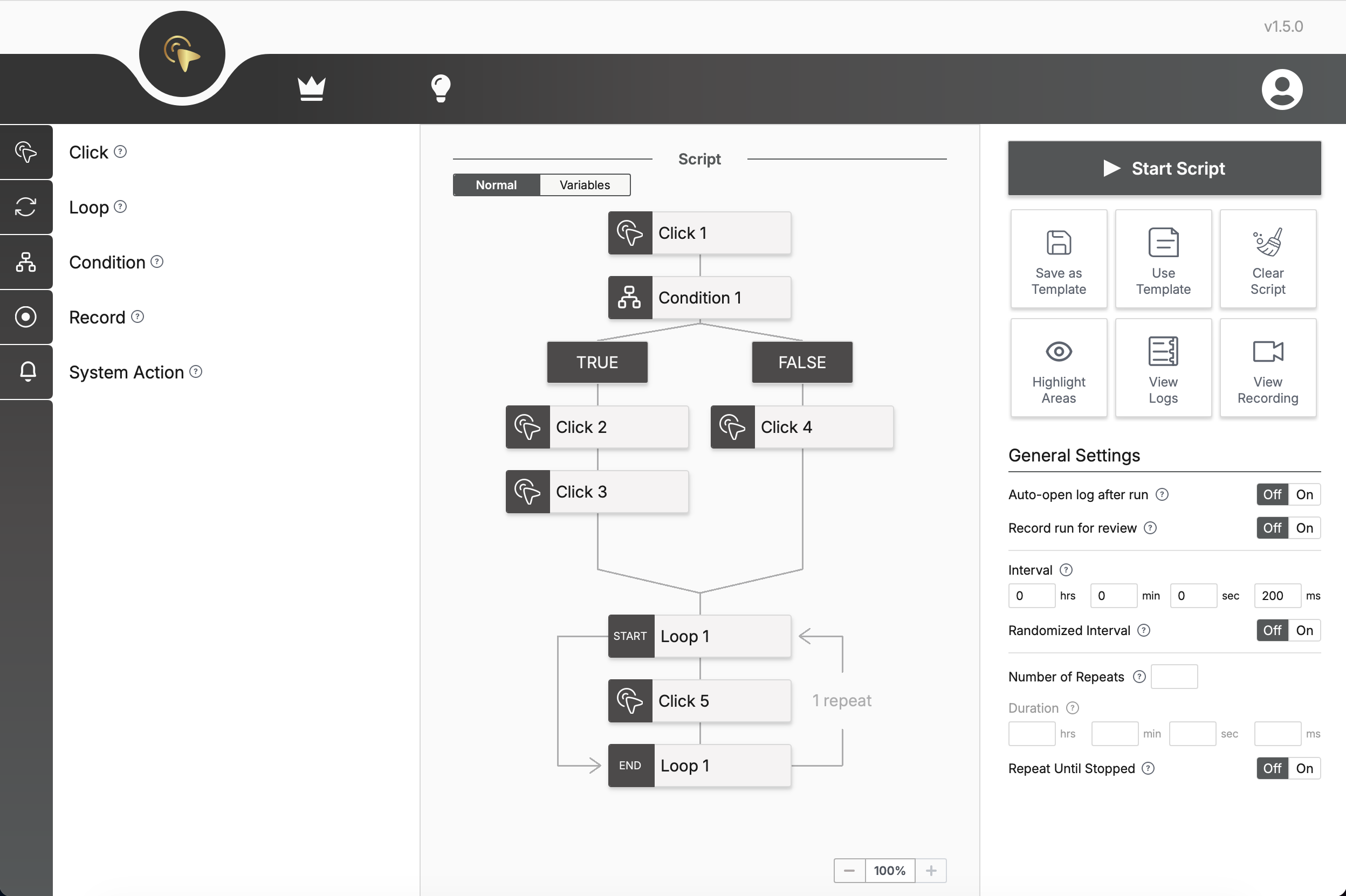
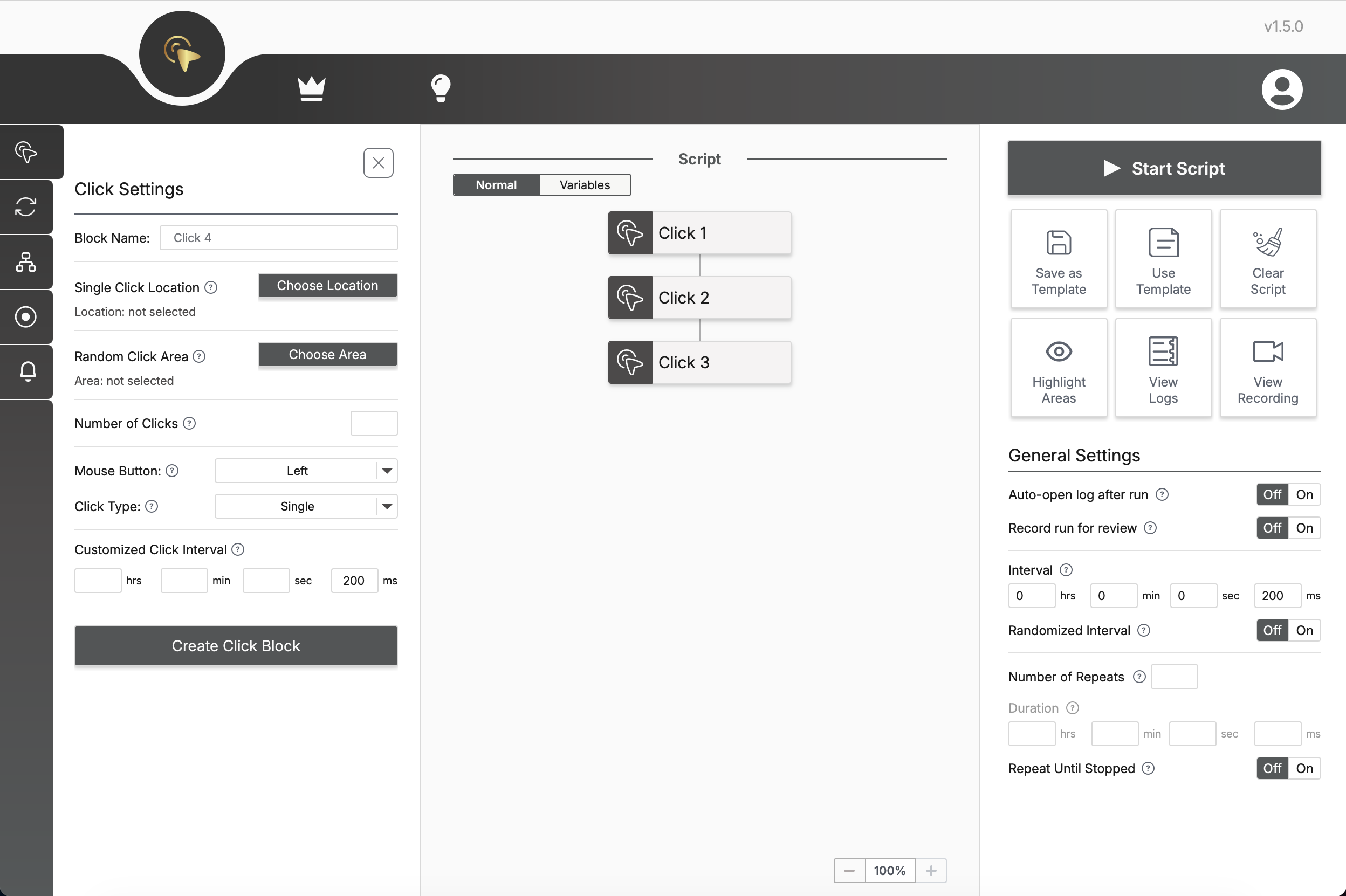
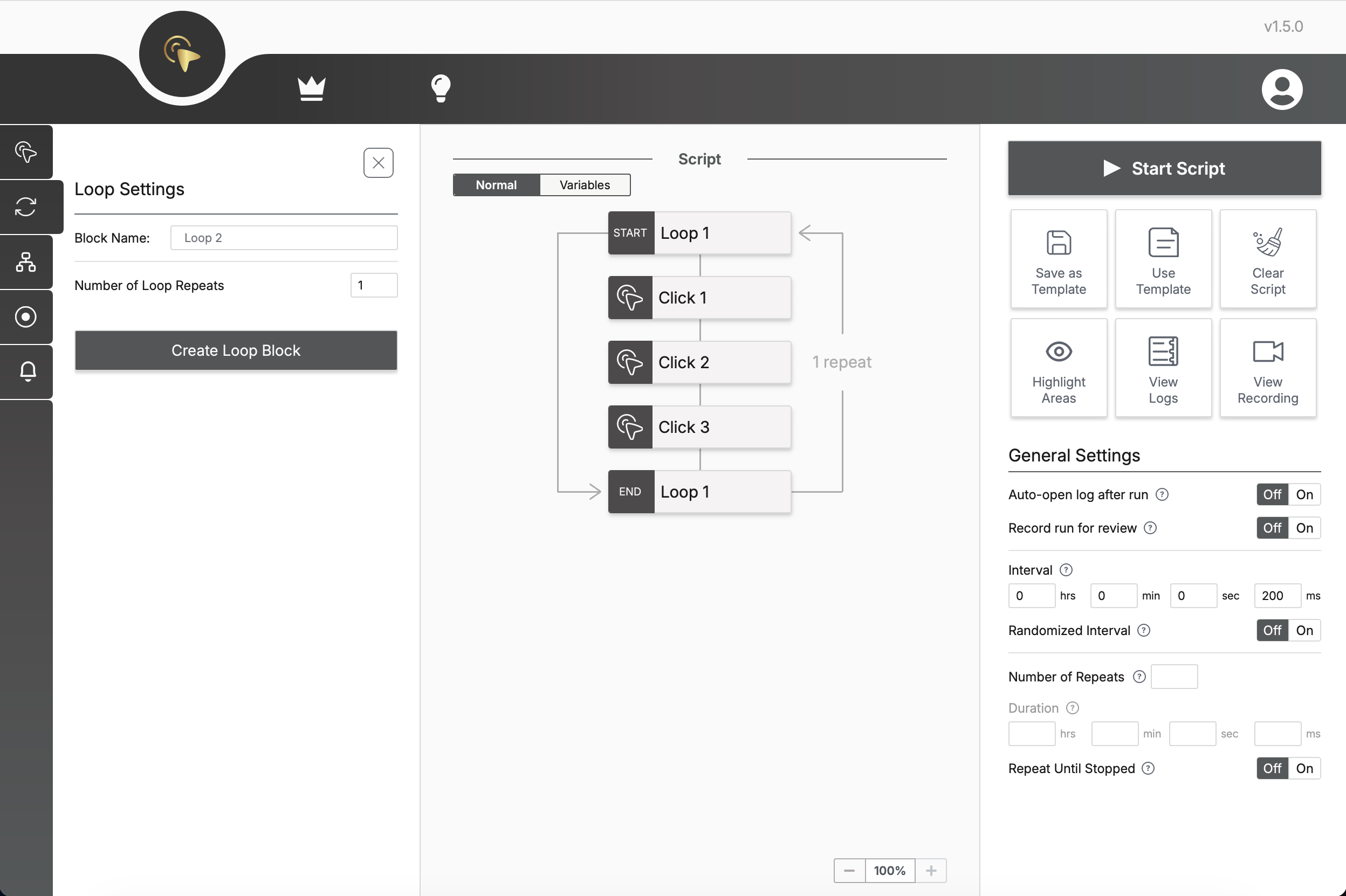
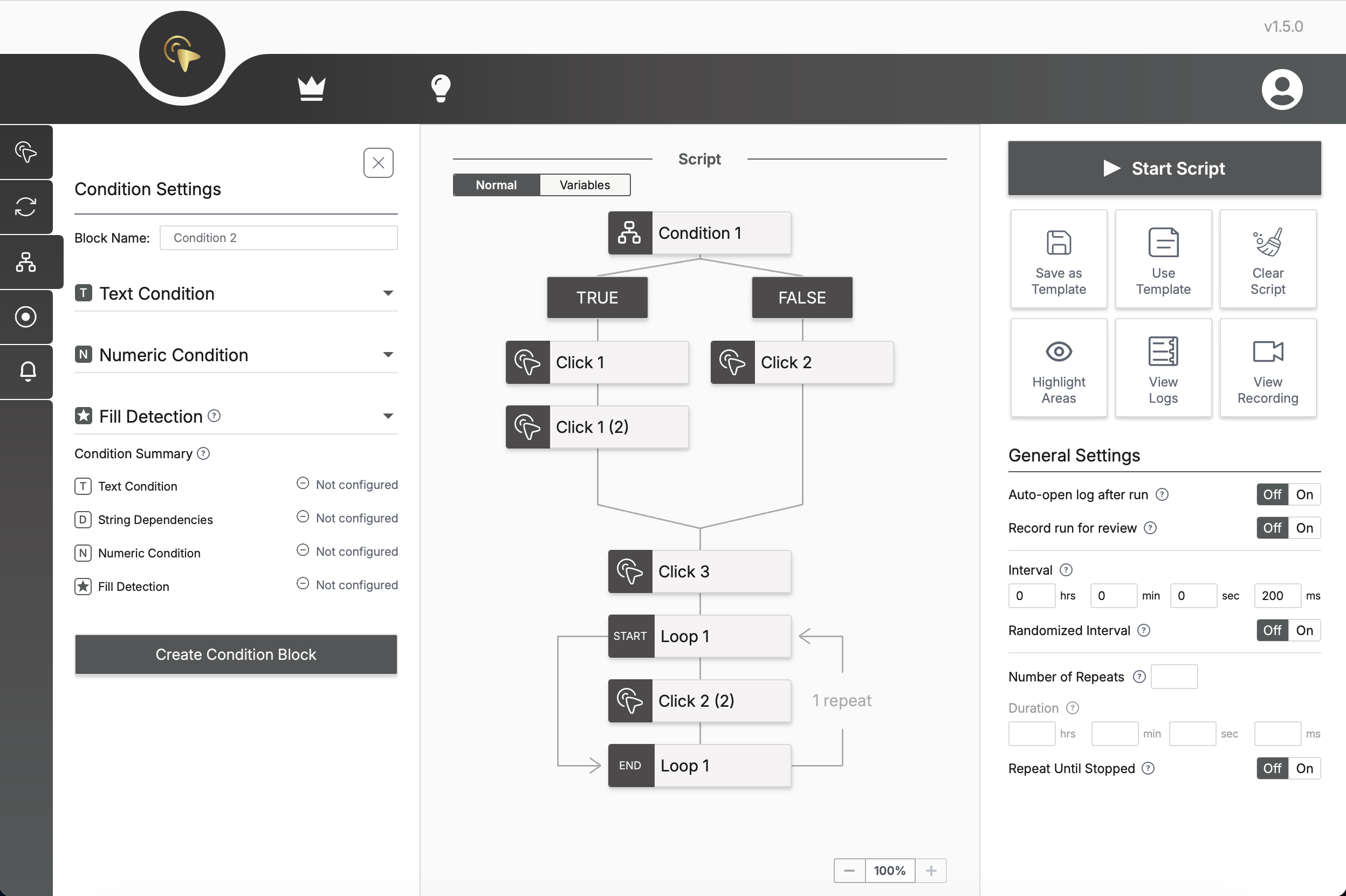
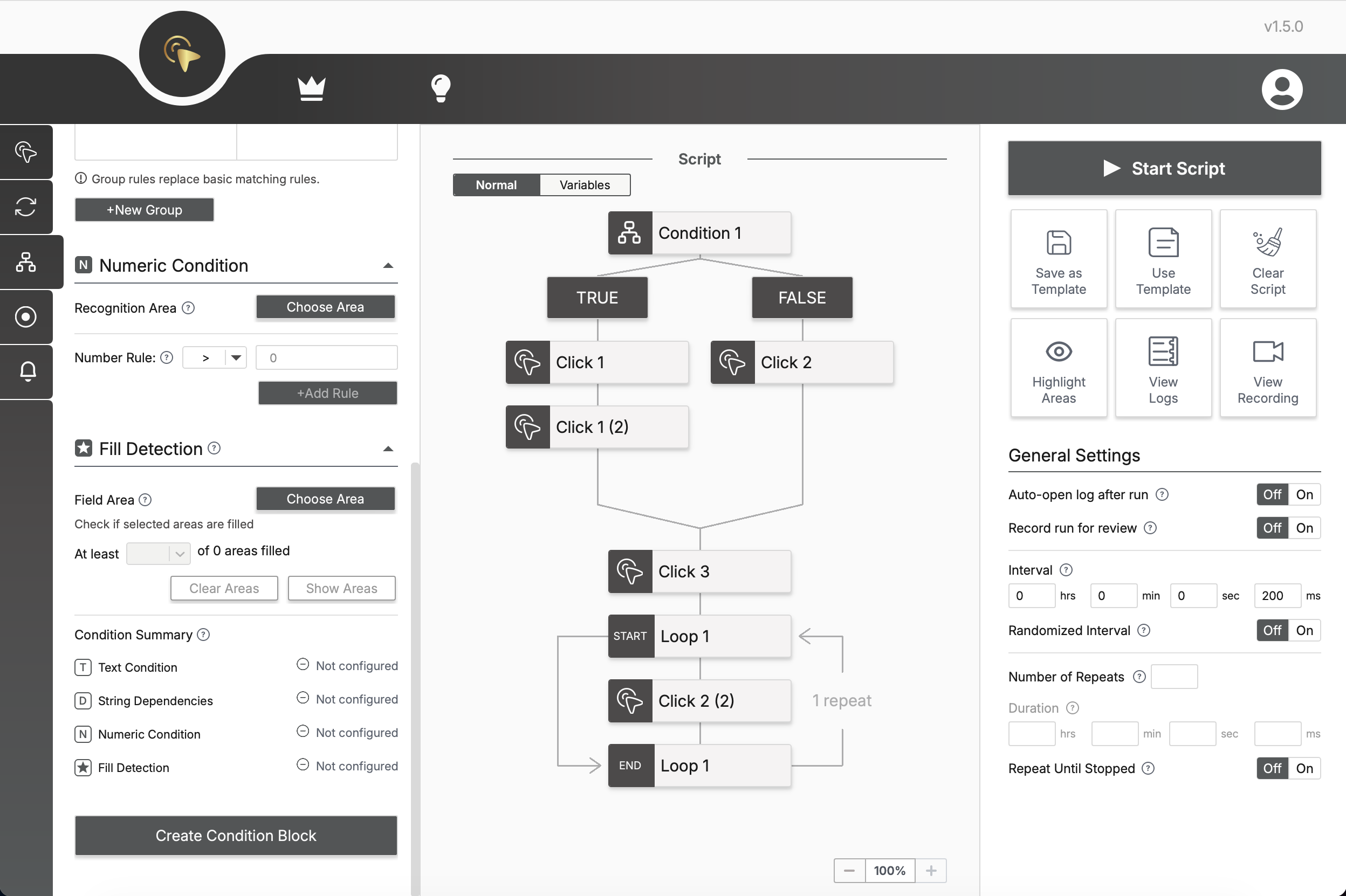
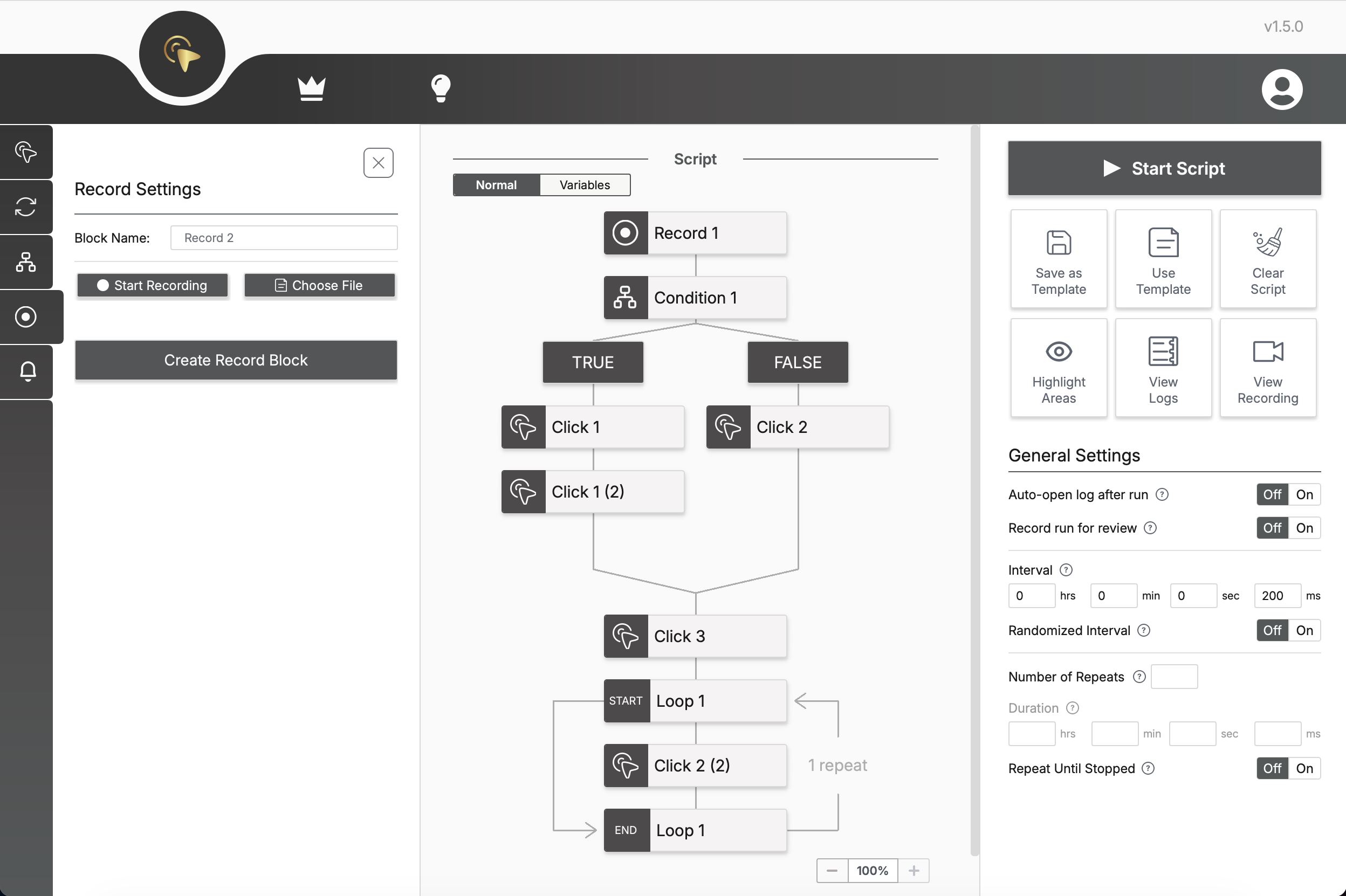
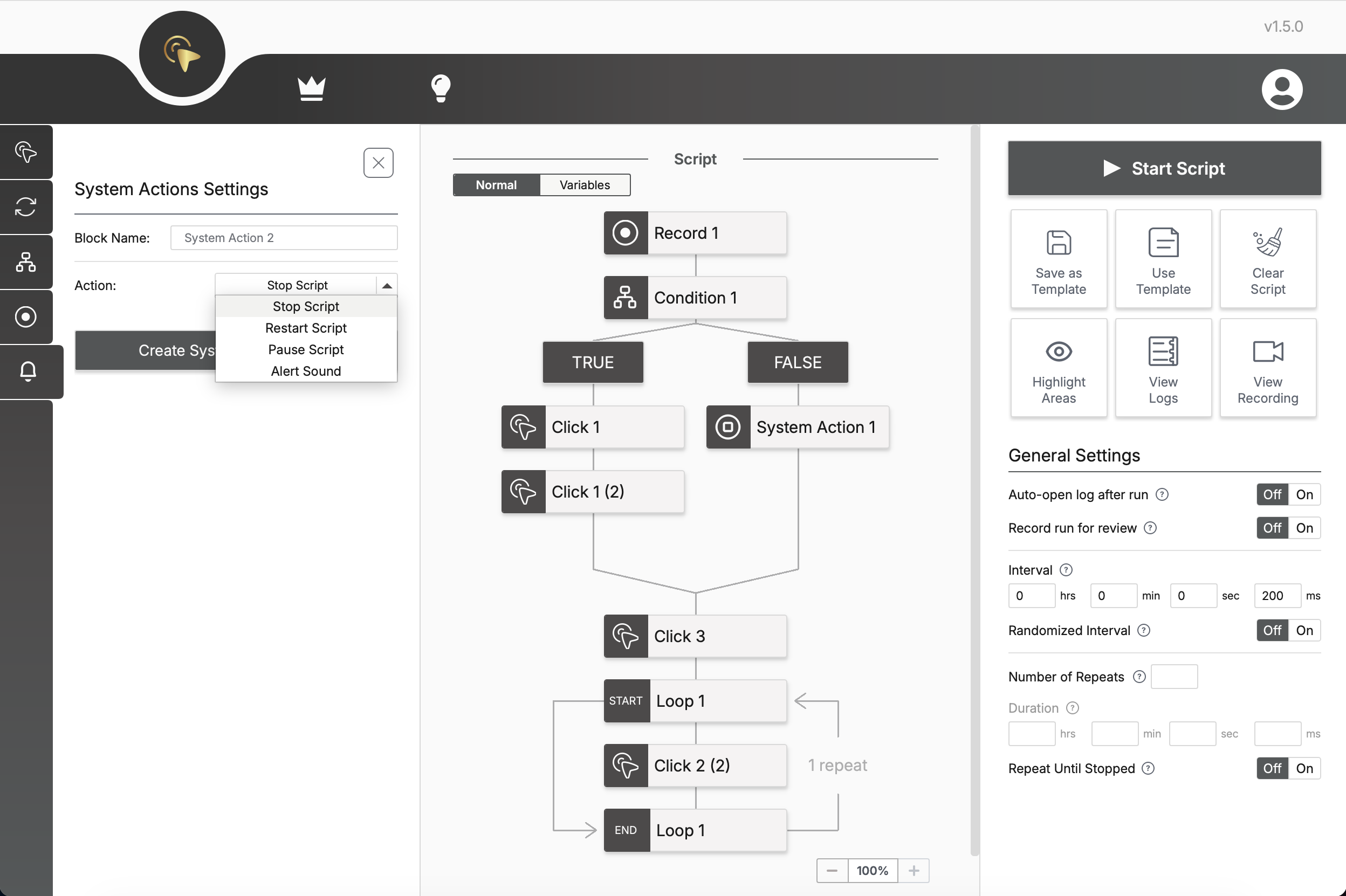
Interface Preview
Take a closer look at the interface and see how everything comes together.
Features
Everything you need to automate repetitive work — in one intuitive visual interface.
Click Automation
Create and organize click actions into automation sequences using an intuitive drag-and-drop interface. Build workflows visually and easily adjust them as your automation grows.Click Automation
Create and organize click actions into automation sequences using an intuitive drag-and-drop interface. Build workflows visually and easily adjust them as your automation grows.
Click Customization
Customize every click by choosing position, button type, click mode and execution order. Control how each action behaves inside your script.Click Customization
Customize every click by choosing position, button type, click mode and execution order. Control how each action behaves inside your script.
Timing Control
Control both global and per-action timing settings to make your automation precise and flexible. Fine-tune delays and intervals to match the exact behavior your workflow requires.Timing Control
Control both global and per-action timing settings to make your automation precise and flexible. Fine-tune delays and intervals to match the exact behavior your workflow requires.
Script Duration
Choose how long your automation should run or how many times it should repeat. Configure execution by duration, repeat count or run continuously until stopped.Script Duration
Choose how long your automation should run or how many times it should repeat. Configure execution by duration, repeat count or run continuously until stopped.
Randomize Clicks
Add randomness to click areas and intervals to make actions feel less mechanical. Useful when you need more flexible and natural automation.Randomize Clicks
Add randomness to click areas and intervals to make actions feel less mechanical. Useful when you need more flexible and natural automation.
Loop Actions
Repeat selected actions as many times as needed. Use loops to build reusable blocks and avoid duplicating the same steps again and again.Loop Actions
Repeat selected actions as many times as needed. Use loops to build reusable blocks and avoid duplicating the same steps again and again.
Record Actions
Record your actions and turn them into automation steps. Capture clicks and interactions automatically instead of configuring every action manually.Record Actions
Record your actions and turn them into automation steps. Capture clicks and interactions automatically instead of configuring every action manually.
Text Recognition
Detect text from selected screen areas and use it inside your automation logic. Helpful when your script needs to react to visible information.Text Recognition
Detect text from selected screen areas and use it inside your automation logic. Helpful when your script needs to react to visible information.
Text Conditions
Check whether specific text is present, missing or matches an expected value before the next action runs. This is useful when your automation needs to react differently depending on what appears on the screen.Text Conditions
Check whether specific text is present, missing or matches an expected value before the next action runs. This is useful when your automation needs to react differently depending on what appears on the screen.
Numeric Conditions
Compare numbers and execute different actions based on calculation results. Ideal for counters, values and dynamic automation scenarios.Numeric Conditions
Compare numbers and execute different actions based on calculation results. Ideal for counters, values and dynamic automation scenarios.
Field Detection
Detect and evaluate the fill state of visual elements within selected screen areas. Monitor values such as ratings, progress indicators and other fill-based elements to drive automation decisions.Field Detection
Detect and evaluate the fill state of visual elements within selected screen areas. Monitor values such as ratings, progress indicators and other fill-based elements to drive automation decisions.
Variables
Use variables to store values and control dynamic behavior. Build more flexible scripts that can change depending on previous actions.Variables
Use variables to store values and control dynamic behavior. Build more flexible scripts that can change depending on previous actions.
Event Alerts
Play notification sounds when selected automation events occur. Stay informed about important actions without constantly monitoring the script.Event Alerts
Play notification sounds when selected automation events occur. Stay informed about important actions without constantly monitoring the script.
Stop on Condition
Automatically stop script execution when a specified condition is met. Prevent unnecessary actions and keep your automation focused on the desired outcome.Stop on Condition
Automatically stop script execution when a specified condition is met. Prevent unnecessary actions and keep your automation focused on the desired outcome.
Run Recording
Record script execution sessions for later review and troubleshooting. Easily analyze what happened during automation runs.Run Recording
Record script execution sessions for later review and troubleshooting. Easily analyze what happened during automation runs.
Templates
Save your scripts as templates and reuse them later. Quickly adjust existing templates so your automation can adapt to new tasks and changing requirements.Templates
Save your scripts as templates and reuse them later. Quickly adjust existing templates so your automation can adapt to new tasks and changing requirements.
Pricing
Free forever. Choose Pro Monthly or Pro Yearly for more features.
Free
$0/ forever
Core automation features. No account required.
Pro Monthly
$8.99/ month
All Pro features. Billed monthly. Cancel anytime.
Pro Yearly
$89.99/ year
All Pro features. Billed annually. Cancel anytime.
All prices include tax. No hidden fees.
Try Pro for Free
Get full access to all Pro features for 24 hours for free. No credit card or billing information required.
Compare Free and Pro Features
See what’s included in Free and what you get with Pro.
| Feature | Free$0 / forever | Pro$8.99 / monthor $89.99 / year |
|---|---|---|
| Click Automation | Included | Included |
| Click Customization | Included | Included |
| Loop Actions | Included | Included |
| Record Actions | Included | Included |
| Templates | Included | Included |
| Logs | Included | Included |
| Record Run for View | Not included | Included |
| Text Condition | Not included | Included |
| Numeric Condition | Not included | Included |
| Field Detection | Not included | Included |
| Variables | Not included | Included |
| System Actions | Not included | Included |
Download ClickLore


ClickLore is a desktop application.Use a desktop computer to download.
FAQs
ClickLore is a desktop automation app that lets you build automation scripts visually from blocks — no coding required. You assemble Action Blocks (clicks, loops, conditions, system actions, recordings) on a Canvas and run them as a single workflow to automate repetitive mouse, keyboard, and screen tasks on your own computer.
Yes. ClickLore runs entirely on your device — your scripts and screen data never leave your computer and are not uploaded to any server. The only thing the app may send is an anonymous usage heartbeat (app version, OS, and country), which you can turn off in settings. System permissions are requested only when a feature actually needs them.
No. ClickLore is built around a visual interface: you configure each action through its settings and arrange the resulting blocks on the Canvas. You can build complete automation workflows — including loops and conditional logic — without writing any code.
ClickLore has a Free tier with the core automation features — the visual Canvas, save/load, and the basic blocks (Click, Loop, Record) — and it runs locally without an account. Advanced Pro features (Condition Block, Variable Mode, System Action, and run recording for review) require a subscription. You can start for free and upgrade at any time.
Yes. The Free tier works on any computer (Windows or macOS) with no account. Pro is tied to your Lorenest account — just sign in on each computer to unlock your Pro features there.
For everyday personal use and productivity tasks, using an auto-clicker is generally legal. However, it may be restricted or against the rules in certain games, online services, workplaces, or competitions. Use ClickLore responsibly and always check the rules of the platform or activity where you plan to use it.
A Loop Block wraps a group of Action Blocks and repeats them a set number of times, or indefinitely. Place the blocks you want to repeat inside the loop on the Canvas, and set the repeat count in the Loop settings.
Yes — when you downloaded the installer from the official Lorenest website. Microsoft Defender SmartScreen warns because the current Windows build is unsigned and the downloaded file does not yet have enough reputation. If Windows offers the option, click “More info”, then “Run anyway”. A new ClickLore version is a new file and may show the warning again. On managed computers or devices where Smart App Control blocks unsigned apps, “Run anyway” may be unavailable; contact the computer administrator. ClickLore installs only for the current user and does not request administrator access.
If the emulator or app runs as administrator and ClickLore does not, Windows blocks ClickLore's clicks. If possible, reopen the target app without administrator rights. If it needs those rights, close ClickLore, right-click its shortcut and choose “Run as administrator”, then run the script again. Do this only with scripts you trust. ClickLore cannot control Windows security prompts.